
The Company Absences tab lets you manage out-of-office periods for everyone in the company. Here, you can see all absences at a glance and create new ones for other employees.
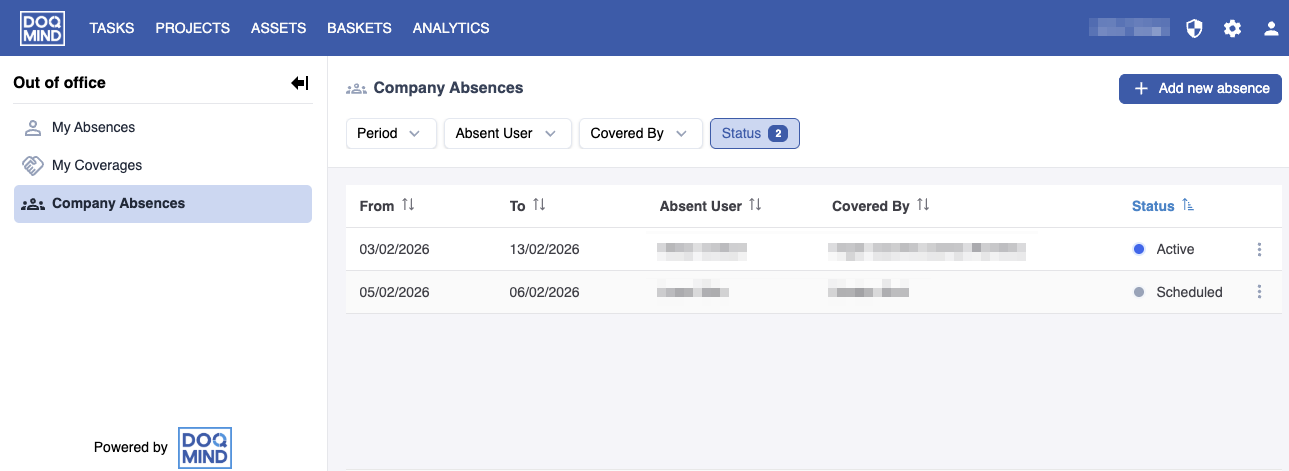
By default, the list shows current and scheduled absences. For each absence, you can open the hamburger menu to edit upcoming entries.
You can cancel both active and scheduled absences:
-
Scheduled absences are removed completely.
-
Active absences are ended early by setting the end date to yesterday. This keeps the record for auditing purposes while marking the absence as finished.
Creating a New Absence
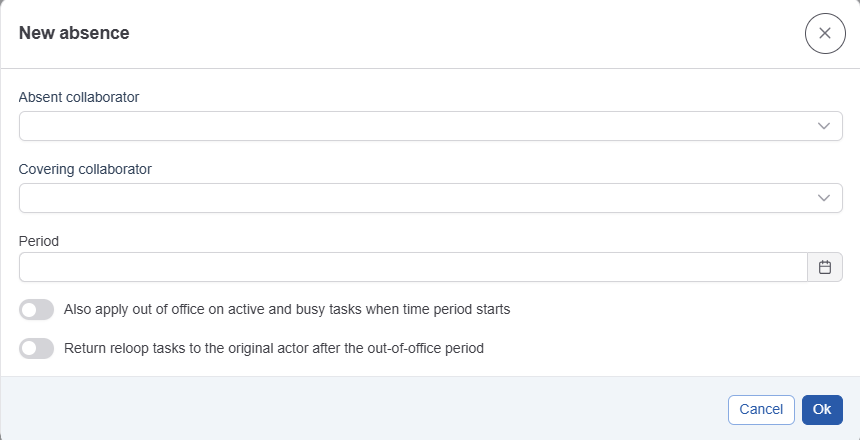
When you create a new absence, you choose:
-
Who is absent (absent collaborator)
-
Who will cover their work during that time (covering collaborator)
The system automatically checks that the covering person is not absent themselves.
You can also choose from two optional settings:
-
Automatically assign all active tasks from the absent person to the covering colleague.
-
Return assignment to the original actor when relooping when the absent person returns.