Caution is advised when making changes to active projects. For connected tasks, the possibility of downstream issues caused by change mades needs to be considered.
Changing task configurations
In an active project, it is possible to make changes to tasks that haven’t started yet. Making changes to Active, Started, Overdue and Finished tasks is not possible.
Any part of the task configuration can be changed, including the connections made.
Changing the task-type will reset the task status of connected tasks that have task configuration dependancy to “Task to be set up“, indicated in grey. This enforces the user to configure the necessary parts of the task again.
An example of this could be an approval connected to an upload task. The dependancy here lies in the approval task taking the asset produced in the upload task as a source. This is the only part of the configuration that would need re-configuring.
If the duration or end-date of a task is to be changed: all connected tasks will automatically adapt their startdate. Changing the end date requires the task to have an assigned actor.
Changing other parts of the configuration or task name does not require re-configuration. These changes are automatically made to the dependancies in the connected tasks.
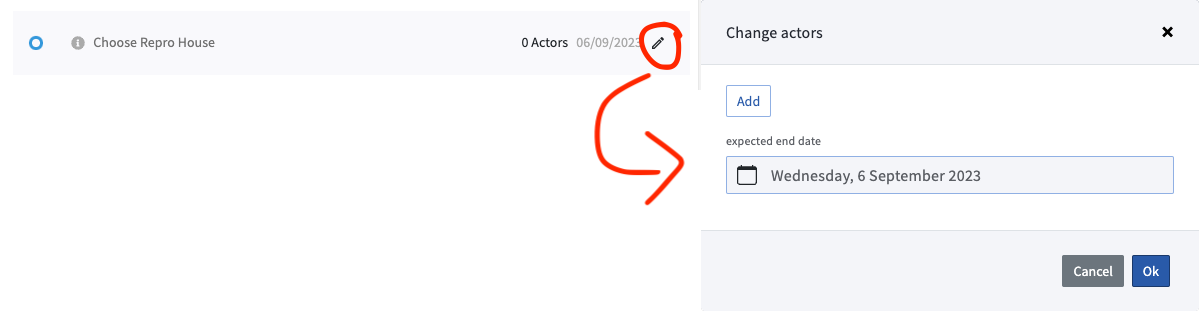
Changing the actor of a task is not only possible in the gantt chart, but also in the tasks tab of the project view. Clicking the pencil icon to edit the task produces a pop-up where the actor and the expected end date can be changed.
The change of actor will be remembered in case of a reloop.
Adding and deleting tasks
In cases where more fundamental changes are needed to a running project, tasks can also be added or deleted.
Such an example may be scope change in an advanced active project. During the course of a project, there may be changes in requirements or scope. In such cases, certain tasks may become irrelevant or redundant. Removing these tasks ensures that the Gantt chart reflects the updated project scope accurately. This also ensures that the progress already made isn’t lost or eliminates the need to start additional projects and avoid possible repetition.
Completed tasks cannot be deleted. This is to ensure the gantt chart correctly displays the past execution of the project.
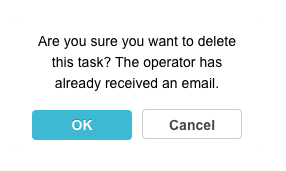
Tasks to be started, Active tasks and Tasks already started can be deleted. The latter 2 task statuses will produce a pop-up warning the user that they are deleting a task that is already underway.