
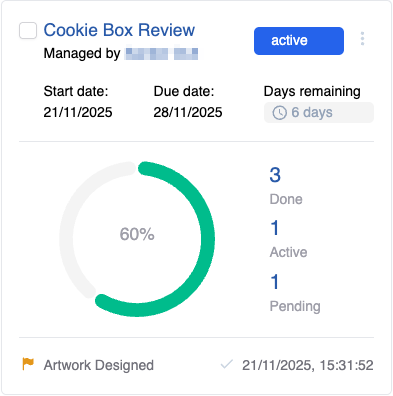
Grid view shows a grid of cards, each of which shows the key metrics of a project.
-
Clicking on the project title opens the project details.
-
Done tasks are all tasks that have been completed
-
Active tasks are tasks that are active or in progress
-
Pending tasks are tasks that are not started yet.
-
Quick Actions can be accessed via the hamburger menu next to the project status.
-
On the bottom, the most recently achieved milestone in the project is displayed. Next to it, a timestamp is shown of when it was achieved.