
This article explains the elements in the interface that are specific to the Projects module. For a generic explanation on the DOQMIND user interface, see the article The elements of the interface
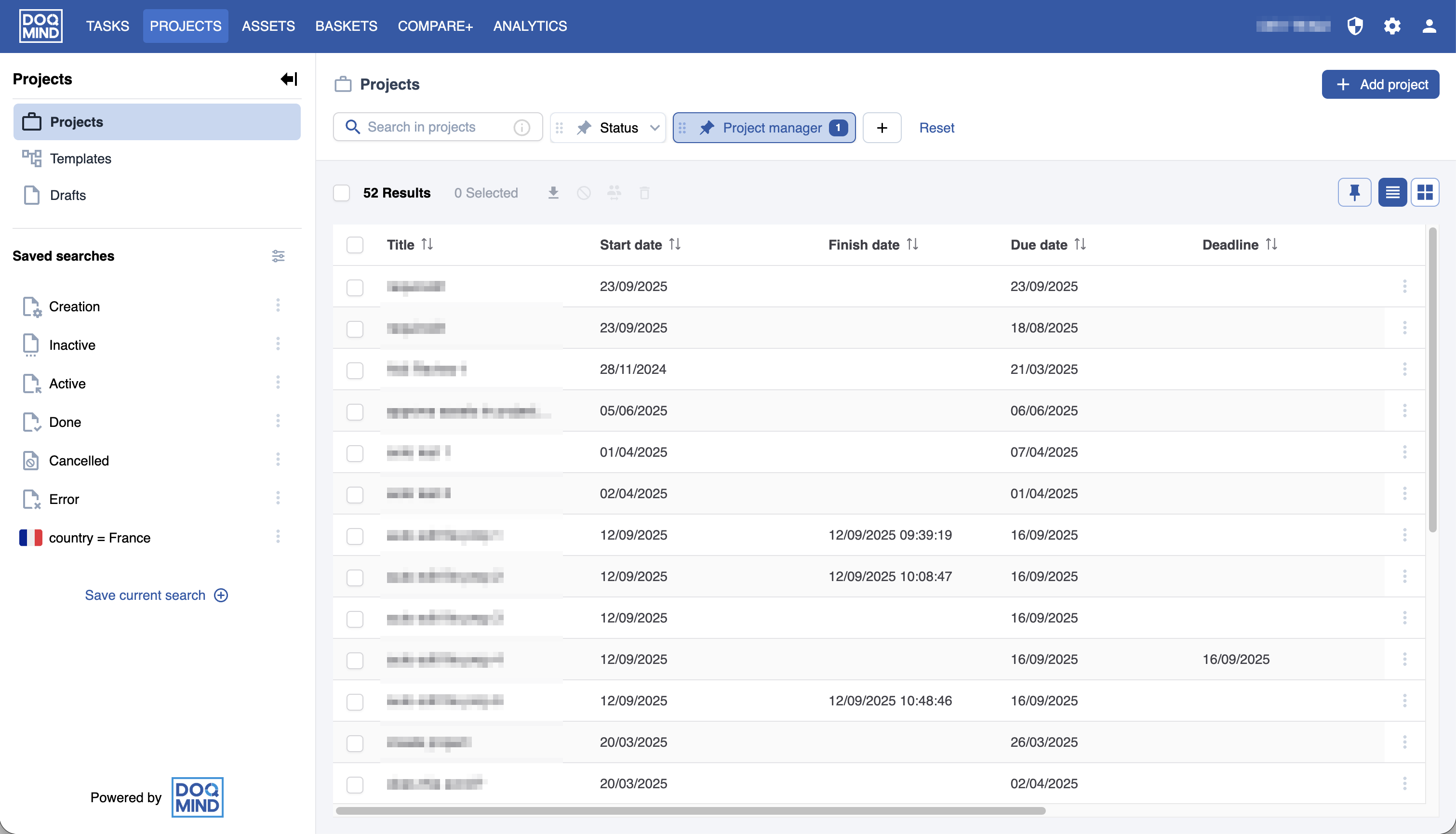
In the projects dashboard, the sidebar on the left contains options to filter the available list of projects. It contains a section to navigate between projects, templates and drafts, along with a section that contains your saved searches. This allows you to quickly and accurately find the projects that you are looking for.
Search bar
In the top bar, the search bar allows you to quick search on project name, template and manager. Type in part of a name, template or project manager and press enter to confirm. The view of current projects changes to match your search criterium.
Quick filters
The available filters consist of the system fields and the custom metadata. Select multiple filters to narrow the view and find the projects you need.
Criteria
The following criteria are available to search on:
System fields
Title: The name of the project (string)
Type: The project type. This can be project, template or draft. (dropdown)
Project Manager: The name of the project manager (dropdown)
Template: the project template use to create the project (dropdown)
Status: The project status (dropdown)
Start date: The start date of the project (date picker)
Due date: The due date of the project (date picker)
Deadline: The deadline of the project (date picker)
Finish date: Finish due date of the project (date picker)
Is overdue: Whether the project is overdue or not (Boolean)
Overdue days: The amount of overdue days a project has (Number)
Has overdue tasks: whether the project has at least one task that is overdue (Boolean)
Custom fields
These are the fields that are created in the form builder.
Any custom field that is present in a project metadata form is present in the visible columns selection.
Example
A project brief contains a country. In this case, the project metadata form would contain a field called “Country“. “Country” is not field that is present by default in DOQMIND, it is not a system field. It can be created by a DOQMIND user that configures forms. When creating a form, a field “Country” would be created. When making use of this form (upon project creation or during the project in a fill form task) we can set or edit this country. This is valuable information because we can now use it to identify this project. By enabling a filter with the custom field country, we can now show only the projects for a specific country. This allows you to focus on the projects that matter to you.