
In case the project manager assigned to a project needs to change, users with the correct permission can now change the project manager.
It is available in both the grid and list -view. The option can be found under the quick-actions panel.
Modal
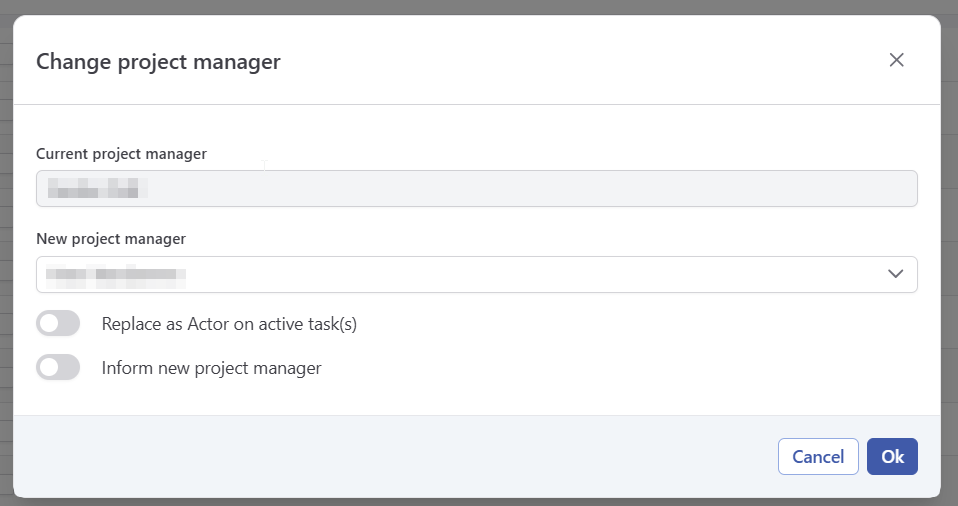
When selected, a modal containing the following elements is presented:
-
Current Project Manager
Greyed out, only shows the the project manager of the project selected. -
New Project Manager
Allows you to choose a new project manager from a list of available users. -
Also change as an actor of active tasks
Option to also replace the current project manager as actor in active tasks. -
Inform new Project Manager
Notifies the new project manager via email.
Bulk Actions
Change project manager is also available as a bulk action in list-view. Simply use the checkbox to select the projects and click the quick-action button in the header row.
The same modal with the same options will appear, but the “Current Project Manager” field might contain multiple users.