The toolbar is situated at the top of gantt chart view. It is home to a group of tools that allow you to create and interact with projects, templates and drafts.
1. Add
Add an element to gantt chart. Possible elements are: task, taskgroup, milestone or clone. See Gantt Chart & Tasks for more information
2. Create a template of this project
Turns a project into a template.
3. Edit Start Date
Set the start date of the project.
4. Delete
Deletes the selected task, milestone or task group. When deleting a task group, all containing are deleted as well.
5. Move task
Using the four arrows to move the task in the sidepanel. See Gantt Chart & Tasks for more information.
6. Open projectfolder
Opens the automatically created project folder present in the assets module.
This folder is typically home to the assets uploaded and approved in the project, but also the project metadata form.
7. Renew project
Refreshes the gantt chart view of the current project.
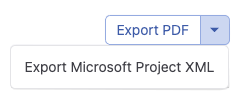
8. Export to PDF
Generate an export that portrays the gantt chart. There are two options:
-
PDF
-
Microsoft Project XML