
Objective
A milestone is a significant event or achievement that marks a major point in the progress of a project. Its objective is to assist in tracking the project's progress against the plan, as well as providing a clear point where progress can be measured and evaluated. Milestones help to ensure that the project stays on track, and makes it easier for project managers to communicate relevant information to their stakeholders. When milestones are activated in a project, an email can be sent out to notify of progress.
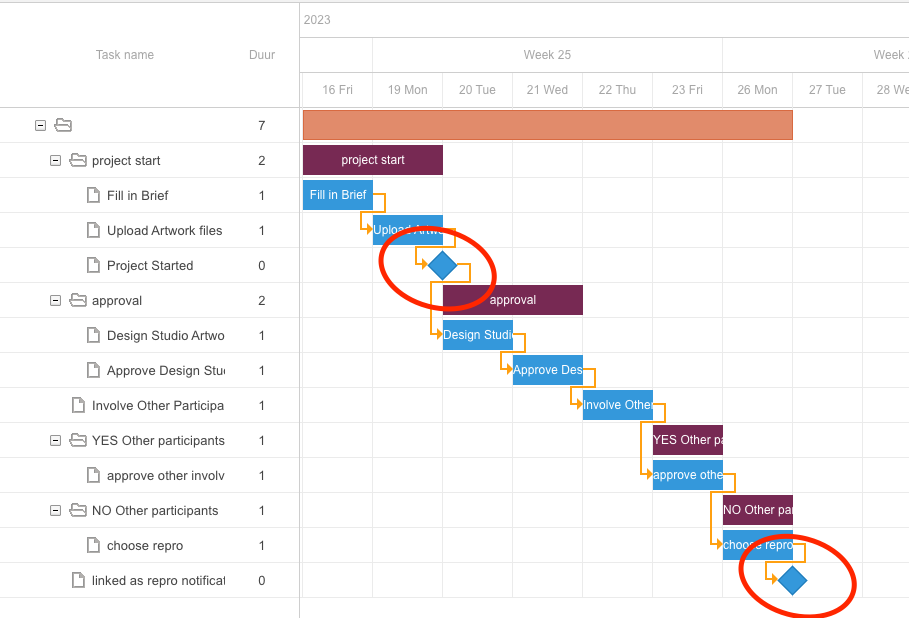
Milestones are visually differentiated from tasks by portraying them as a diamond in the gantt chart.
Configuration
Information
Taskname
The name identifies the milestone. It appears in the project or template Gantt chart and displays in the project list or card view as 'latest milestone reached'.
SeeGrid view for information on how the milestone appears on cards in grid view.
Description
This allows you to configure a milestone description visible only in the Gantt view. Milestones do not appear as tasks for actors or in the project's tasks tab. They exist for consistency with tasks, but descriptions offer limited value for milestones.
Actor
The actor parameter specifies the milestone's actor. You can select this actor to receive a notification when the milestone is reached.
Parameters
There are two parameters for a milestone.
Do not show as milestone in project overview
Milestones can notify stakeholders intelligently. Displaying milestones used for notifications in the project list is not always appropriate. When this toggle is active, the milestone does not appear in project list or grid view.
Update project status
The second parameter is “Update project status”. This automatically changes the project status to a custom status of the category “Active”. This is done upon reaching the milestone. For more information on custom project statuses, see Projects | Custom Project Status.
Conditions
The conditions tab of the milestone configuration operators in the same way as the conditions tab on a task configuration does. See the article section Task | Conditions for this.
Notifications
The notifications tab of the milestone configuration operators in almost the same way as the notifications tab on a task configuration does. See the article section Task | Notifications for this. The only difference to this is that a milestone only has 1 trigger: when it is reached.