
This release delivers major new capabilities across all modules, along with a number of usability improvements throughout the platform.
Assets
Rights on Assets
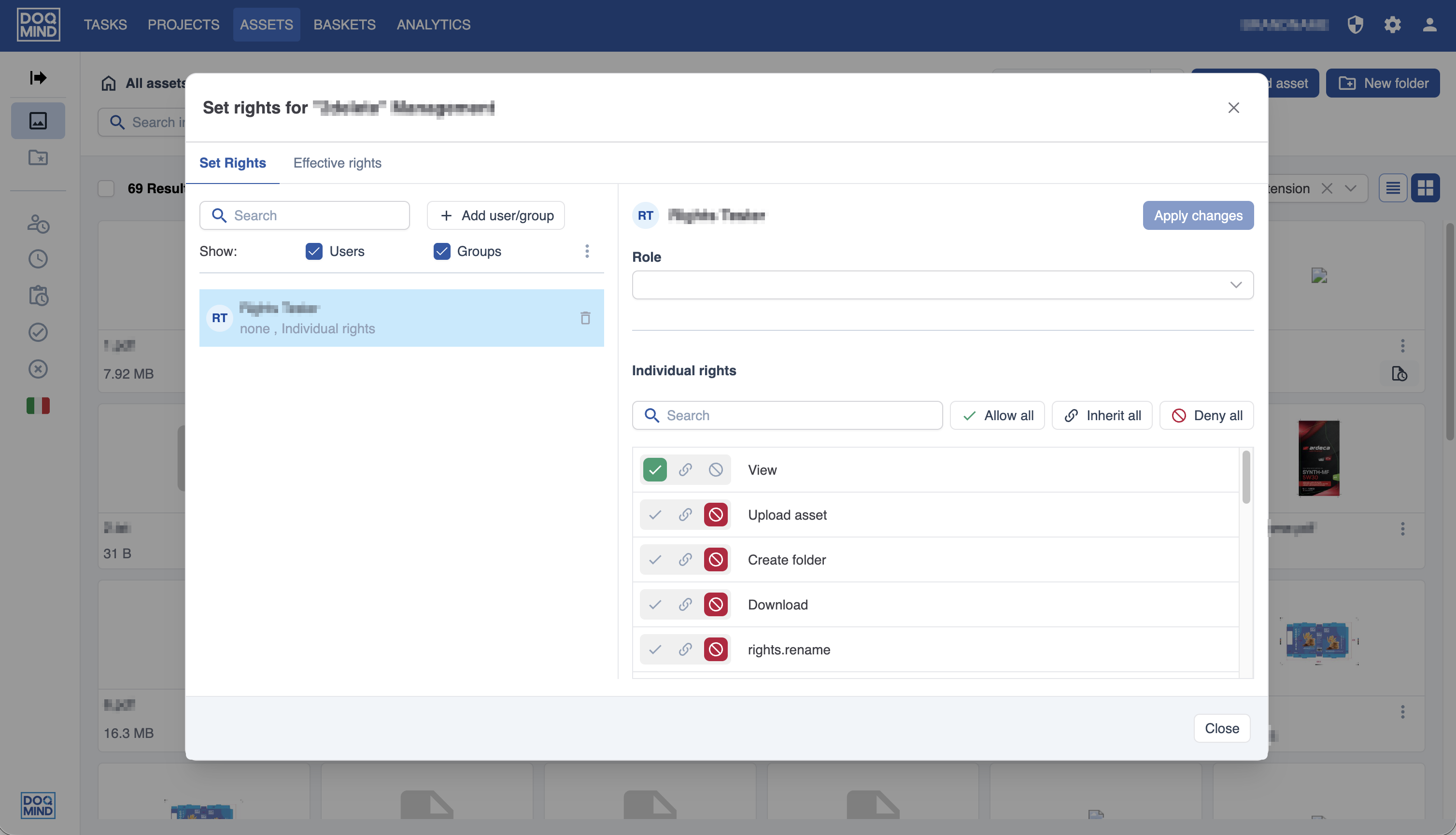
In the assets module, it's now possible to set rights on folders and assets. This allows administrators to have fine-grained control over who can do what on the system. Management of these rights is facilitated by the introduction of user groups and asset roles.
This feature will be released gradually over the next weeks. If you want to understand this better or get access earlier, don't hesitate to contact us.
For the full breakdown, see Rights on Assets
Activity Log
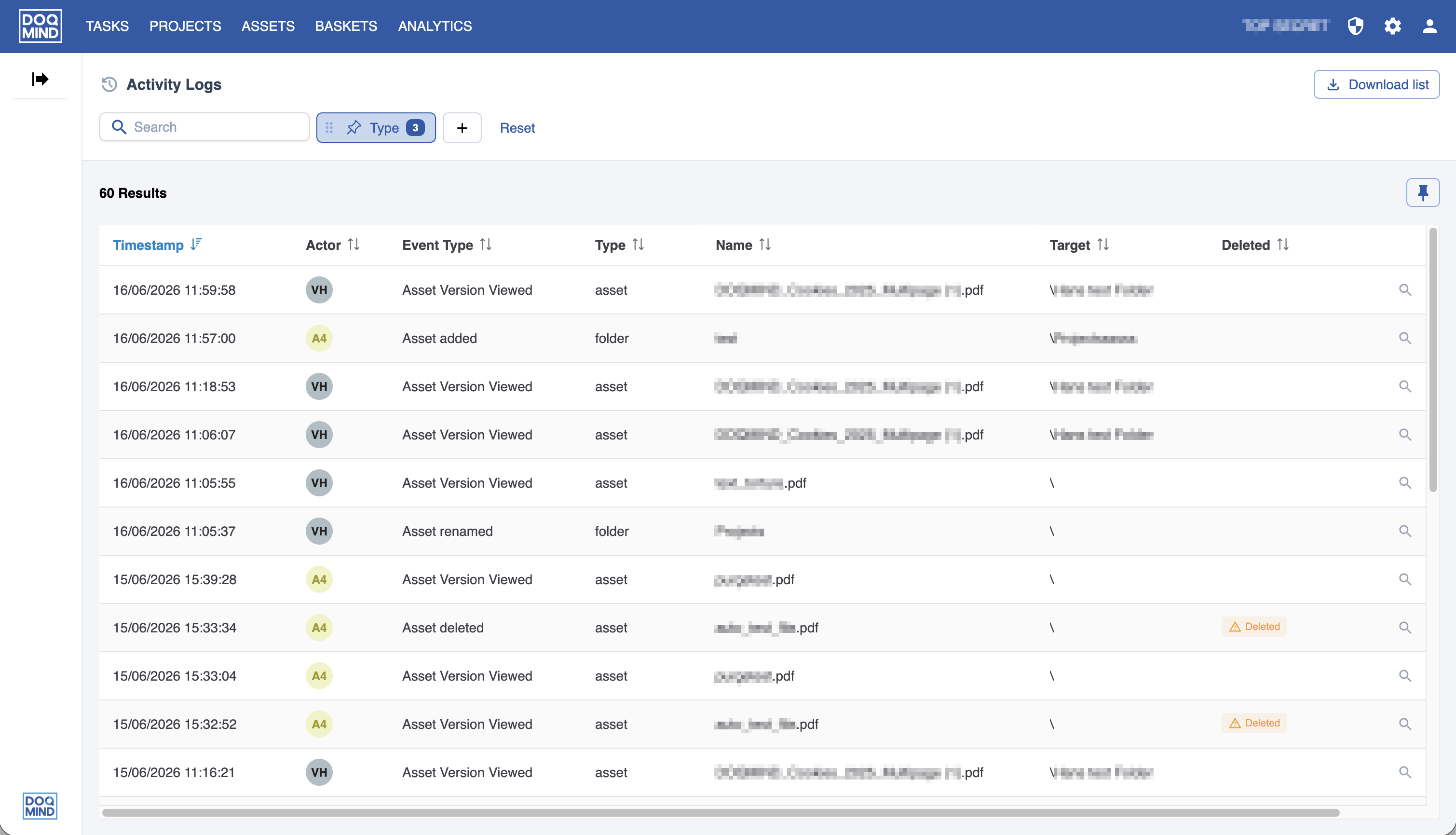
The new activity log gives administrators a centralized overview of everything that happens across assets, folders, and baskets. Whether tracking uploads, version changes, or rights modifications, every action is recorded with its actor, timestamp, and context: searchable, filterable, and exportable to CSV.
Find the full breakdown: Activity Logs
Actions after upload
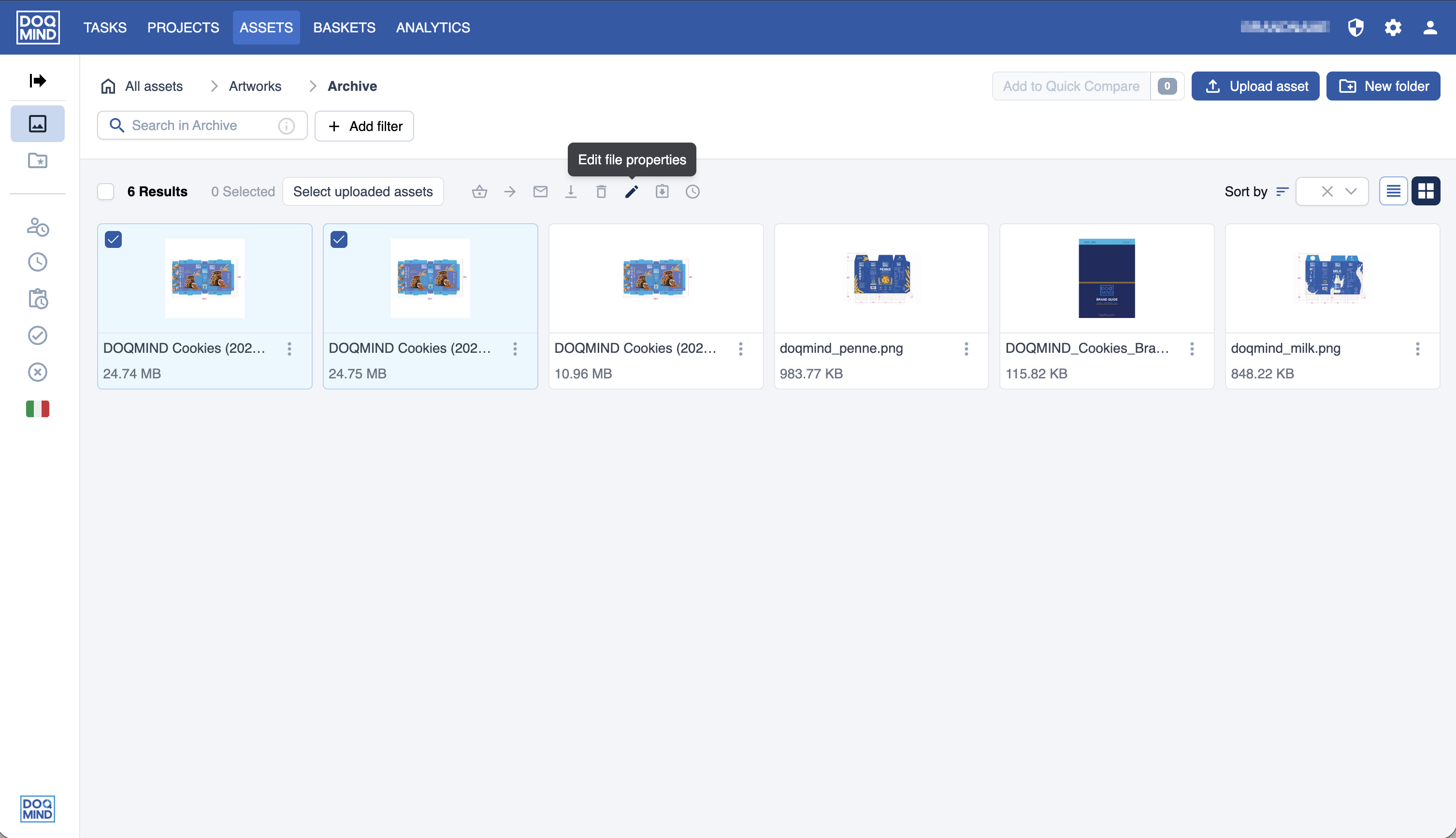
Acting on newly uploaded assets is now more fluid. The moment an upload completes, the files are ready to act on as a group: edit file properties, request approvals, or trigger any other bulk action, all without losing context.
For more information, see Interface | After an upload
Viewer
Drawing annotations
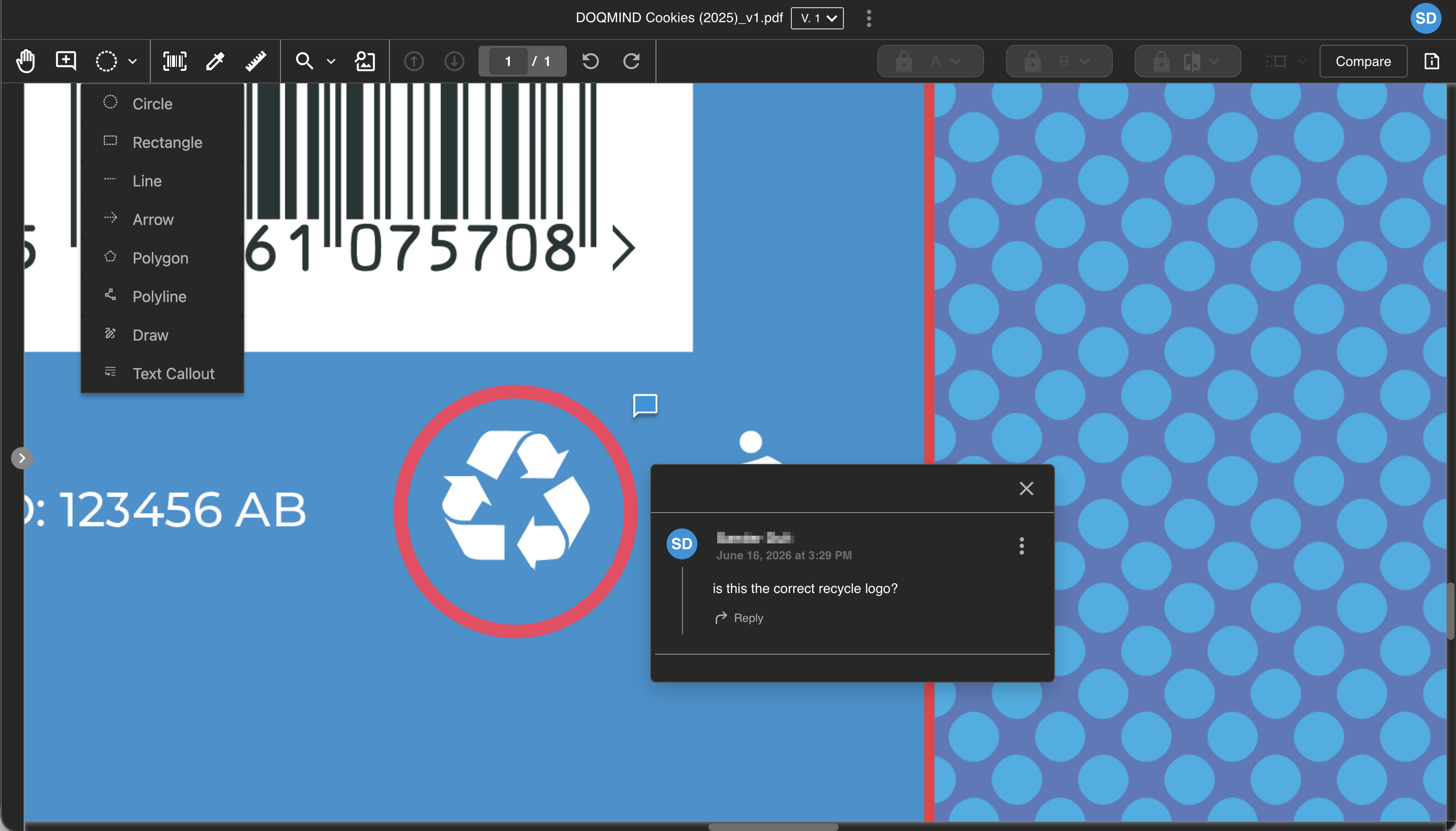
Reviewers can now draw directly on artworks in the viewer, combining visual markup with written feedback in a single annotation. A range of drawing tools is available, all linkable to notes. Drawings are included in PDF exports and can be toggled on or off for a cleaner view.
For more details, see Draw
Projects
Revamped comments section
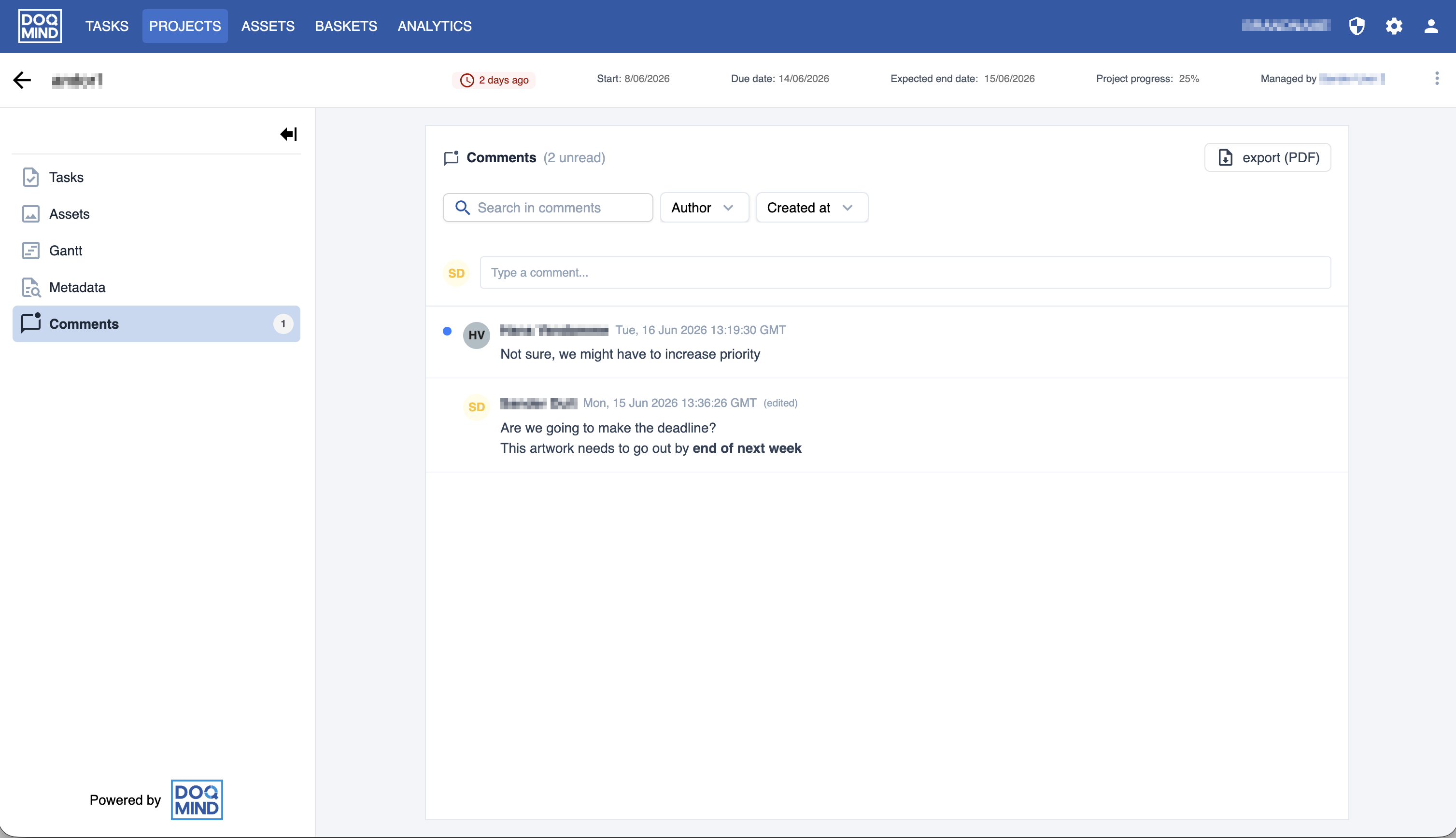
Keeping project conversations in one place just got easier. Comments now have their own dedicated page in the project details, making them easier to find and manage. You can search and filter by author or date, export the full history as a PDF, and deleted comments leave a placeholder to keep the thread intact. No more digging through emails to reconstruct a conversation.
For more details, see Project details | Comments
Analytics
Custom project metadata in exports
Custom project metadata is now fully supported in OData and data extraction exports. All field types (date, text, number, select, and multi-select) are included and officially documented.
To get started with OData exports, find the full guide at Data Extraction via API (OData)
Other improvements
-
Filter lists in search and task filters now always show all possible values, not just those currently in use.
-
Filter dropdowns containing large lists now load progressively, keeping the interface responsive on large datasets.
-
Users can now be organised in user groups. This allows administrators to add a new level of organisation in user management. Groups can be used when configuring rights on assets.