
This release brings new capabilities to the viewer, the Assets module, and administration.
Projects
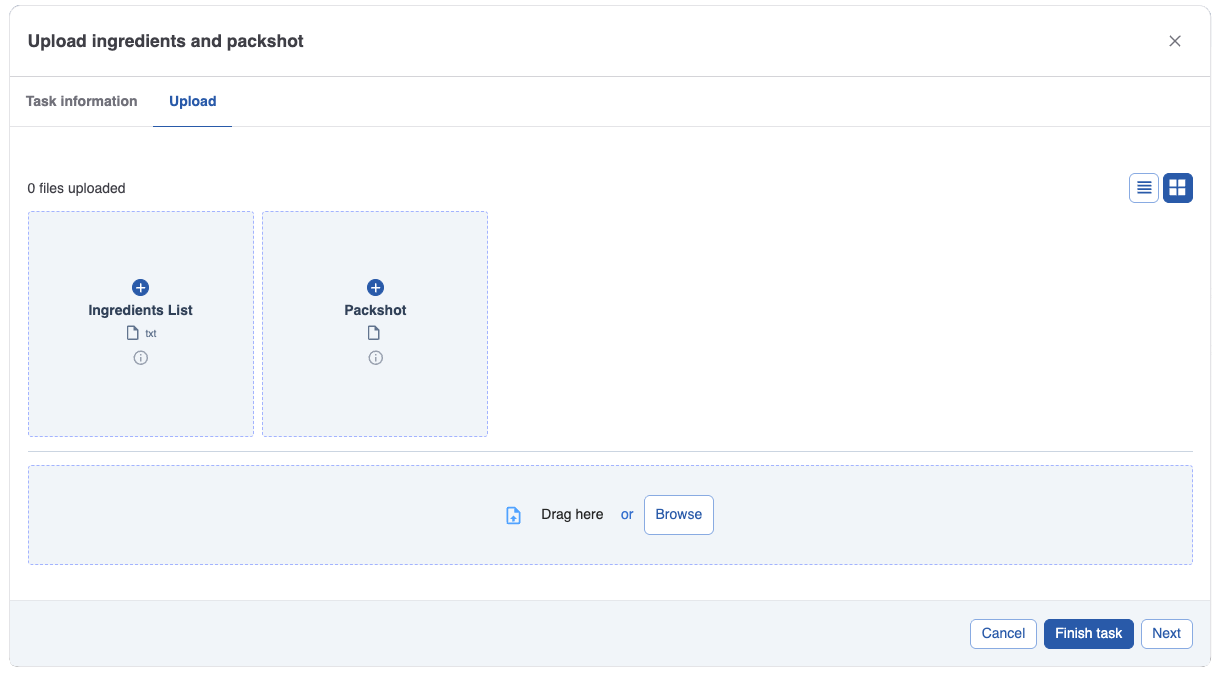
Placeholders in upload tasks
Placeholders help users upload the right file to the right location, every time. They show what’s expected, and whether it’s optional or mandatory. Placeholders also define where the asset will land in the project structure.
The previous behaviour is now labelled a ‘free’ upload. You can run tasks with free uploads, with placeholders, or with a mix of both in the same upload task.
For more information on placeholders, see Upload/Download asset | Upload using placeholders
Reference Files in approval tasks
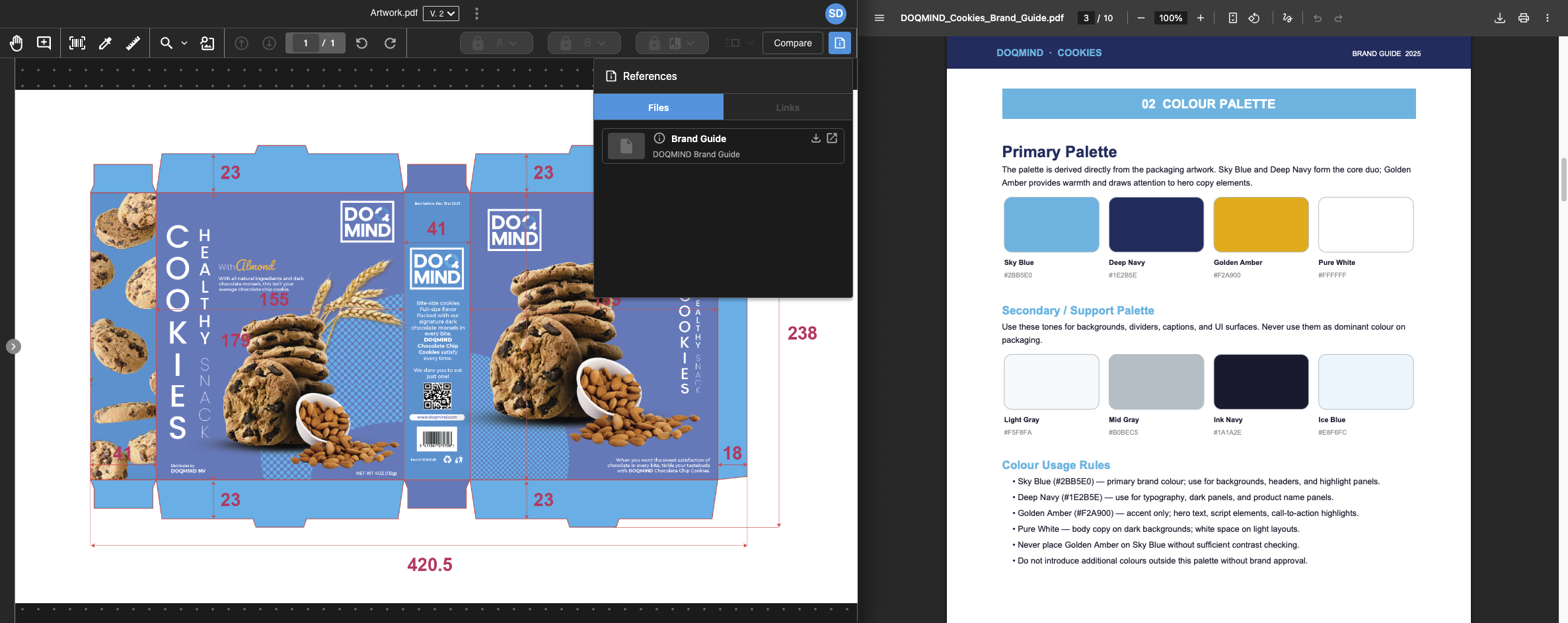
Reviewers often need to check an artwork against supporting material such as the brief, brand guidelines, reference images, or links shared earlier in the flow. Previously, that meant searching for those files in other places.
With Reference Files, relevant material is attached to the approval task and is available directly in the viewer when the artwork is opened. This makes reviews faster and more consistent by reducing context switching and keeping the source material close at hand.
For more information on reference files, see Reference files
Database Relations as Notification Recipients
You can now use a database relation as a notification recipient. DOQMIND will send the notification to whoever the relation resolves to at the time it triggers, with no static recipient list needed.
This is useful when the right person to notify depends on the project data itself. For example, notifying the responsible manager for a specific product, or reaching the regional contact for a specific market, without duplicating notification setups.
For more information on notifications, see Task | Notifications
Viewer
Compare Assets from the Viewer
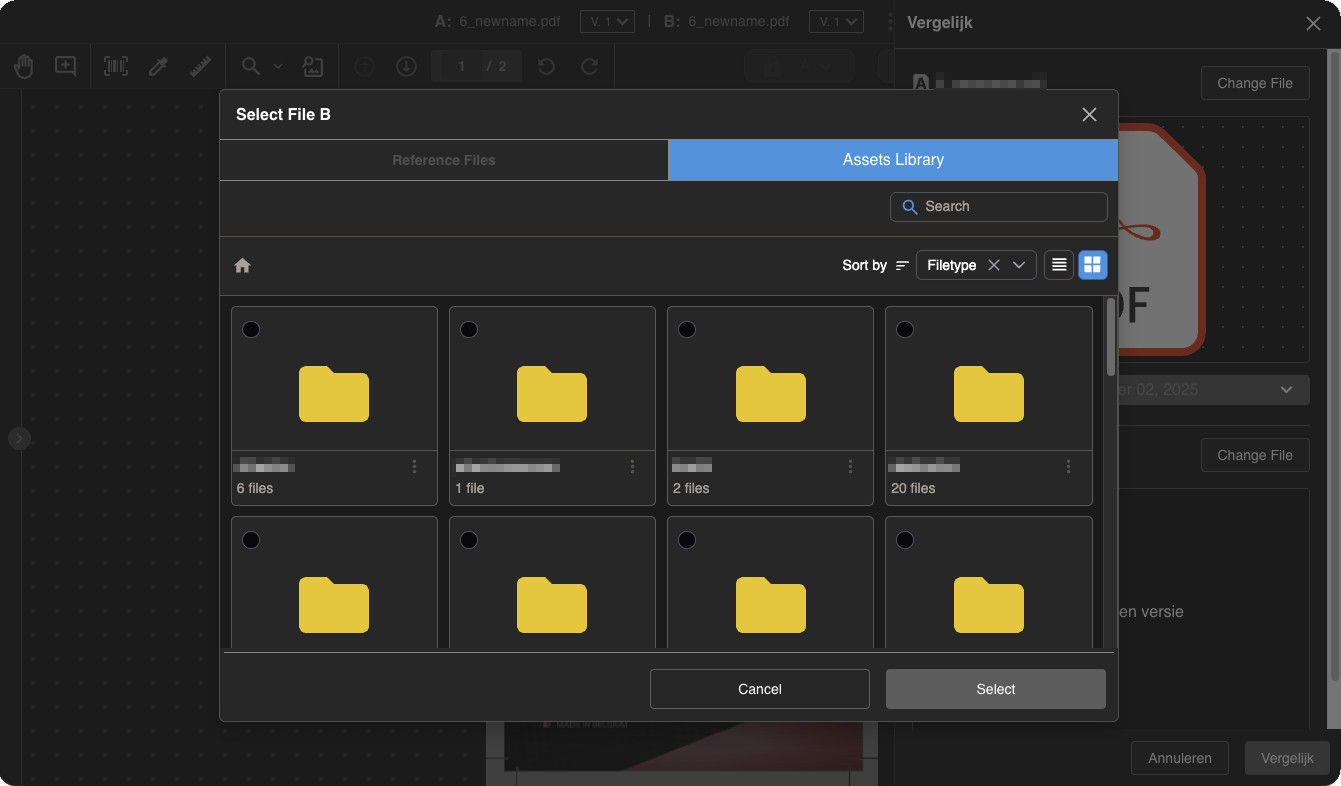
When you’re reviewing an asset and need a quick side-by-side check, you can now pick the comparison asset right from the viewer. There’s no need to return to the asset list first.
For more information on compare, see Compare
Assets
Purge Versions
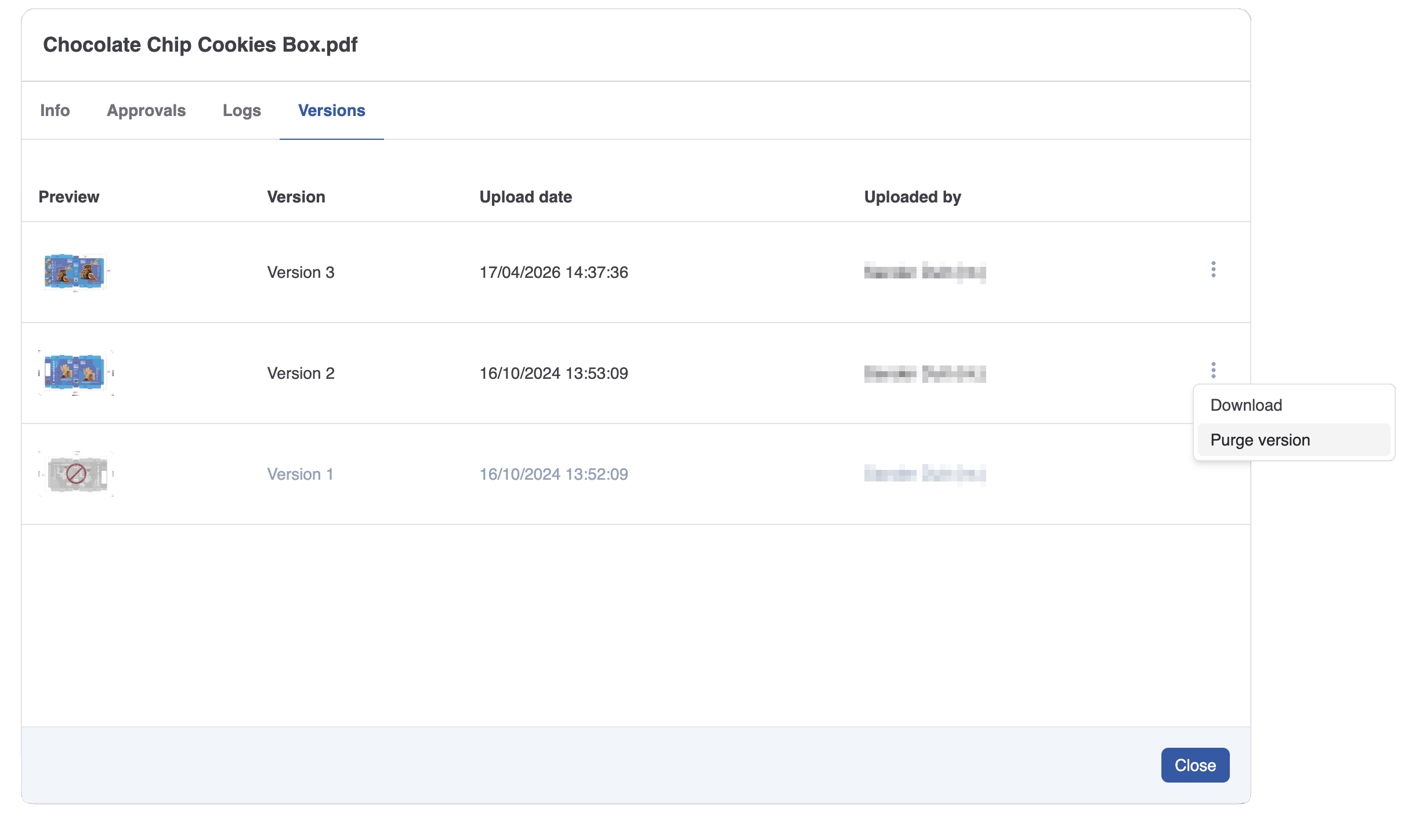
Older versions lose relevance as work moves on. You can now purge the file content of those outdated versions while keeping their version entries. Storage is freed; traceability stays.
Purge can be done manually from the File Details version list, or automatically via an admin retention policy. Set a retention period and a minimum number of versions to keep. The file content is removed and storage reclaimed, and the version remains visible in history (marked as purged).
For more information on compare, see Purging asset versions
Asset Info now supports versions
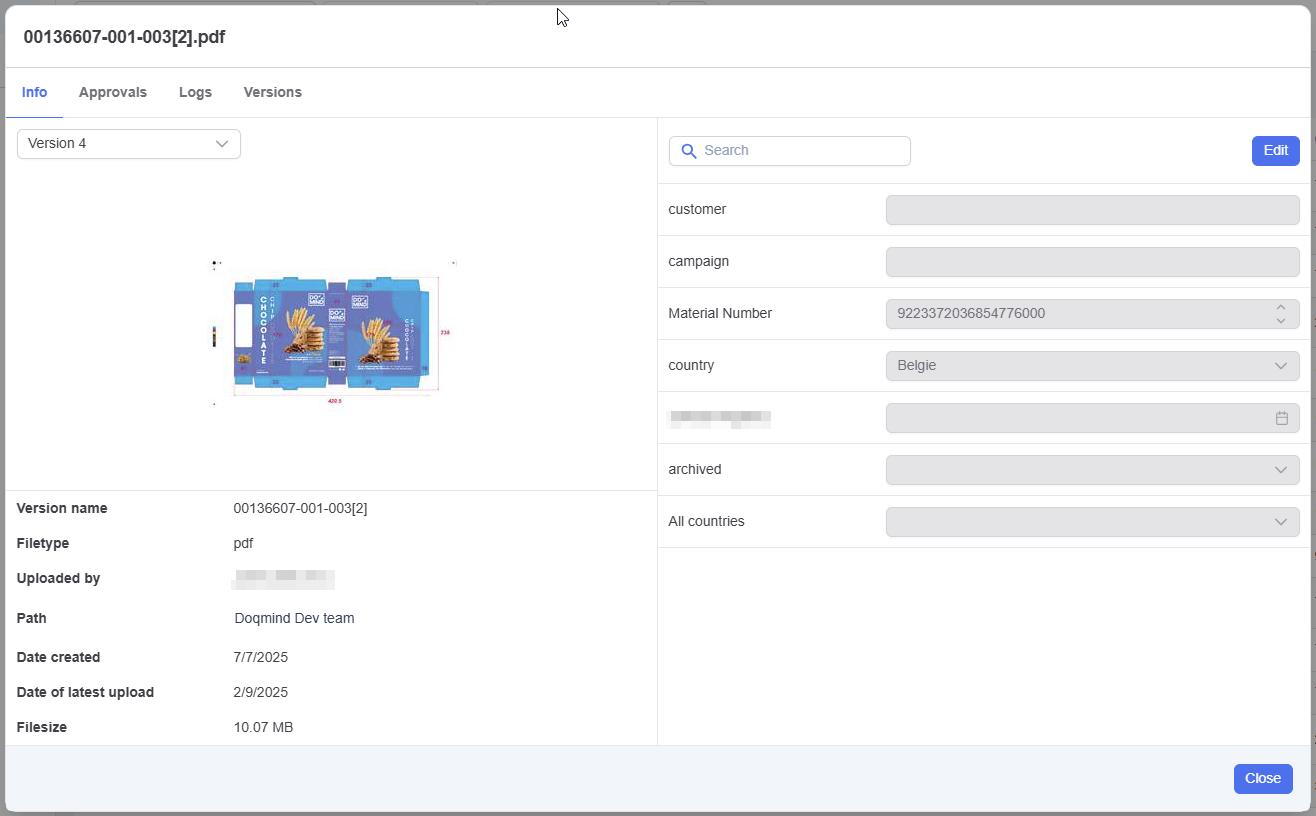
Asset details now shows the asset properties of each version (upload time, size, … but also the latest value of the asset properties of each version.
As a consequence, it is no longer possible to change the asset name from the file details modal. Assets can be renamed from the asset context menu.
General
Super Users
Super Users make it easier to roll out new rights. Instead of DOQMIND support assigning new rights per customer, you can designate one or more Super Users. They have all rights and will automatically receive any rights added in future releases.
After the release, we’ll contact you to confirm who in your organization should have this role. That person can delegate rights internally if needed. This is a privileged permission and should be assigned with care.
For more information on compare, see Super users
Languages
You can now choose which interface languages to support. Admins select the languages that are available, and users can only use DOQMIND in one of those selected languages. This helps when supporting external users and keeping documentation aligned.
Email templates no longer require translations for every language. You can create a template in a single language. Emails are sent in the user’s preferred language when a matching template exists; otherwise the default company language is used (set by DOQMIND).
Language is also available in User Management as a column, filter, and export field.
For more information on compare, see Languages
Other improvements
-
You can now duplicate email templates for projects and assets.
-
The thumbnail shown in the Edit File Properties task now opens the viewer when clicked.
-
When finishing a download task without having downloaded all assets, you now see a warning before the task is completed.
-
When moving an asset to a folder where a file with the same name already exists, you can now choose to overwrite it.